In today’s fast-paced digital world, time is our most valuable asset. Yet, many of us spend hours on “digital busywork”—manually sorting emails, copying data between spreadsheets, and posting social media updates.
In a recent deep-dive tutorial from GenAI Unplugged, we explore why manual work is holding you back and how tools like n8n can transform your workflow. Here is a breakdown of what you need to know to start your automation journey.
The Hidden Cost of Manual Work
Why should you care about automation? While it might seem easier to “just do it yourself,” manual processes come with four major drawbacks:
- Human Error: Decisions based on intuition often lead to inconsistent results [00:29].
- Time Drain: Repetitive tasks eat up hours that could be spent on creative or strategic work [00:45].
- Scalability Issues: More work usually requires more employees and bigger budgets [00:58].
- Low Satisfaction: Nobody enjoys mundane, repetitive tasks day in and day out [01:06].
What is Automation?
At its core, automation is the process of executing a predictable set of actions based on specific conditions [04:13].
The video uses the brilliant analogy of an airport baggage system [04:21]. When you check in your bag, the system detects it (the trigger), chooses a conveyor belt based on your destination (the logic), and directs it to the right flight (the action). Digital automation does the exact same thing for your data.
The Anatomy of an Automation Workflow
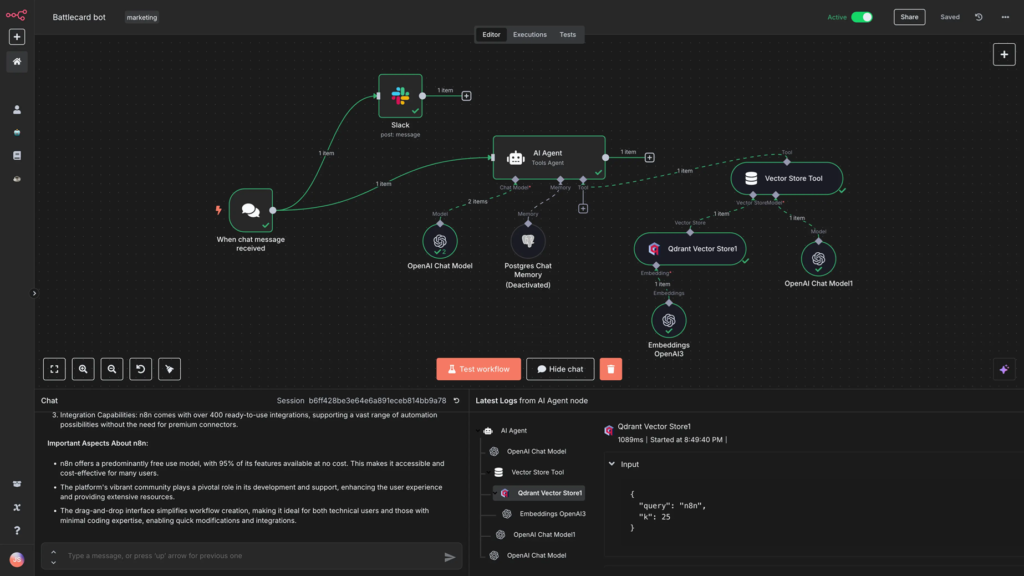
In the world of n8n, everything revolves around the “Workflow.” To build one, you need three key components:
- The Trigger: The “wake-up call” that starts the process. This could be an incoming email, a new lead in your CRM, or even a specific time (e.g., every Monday at 8:00 AM) [05:08].
- The Processing: This is where the “thinking” happens. You can filter data, segment it (like separating spam from primary emails), or transform it (like converting text to uppercase) [06:00].
- The Action: The final result. This could be saving data to a Google Sheet, sending a Slack notification, or firing off a welcome email to a new customer [07:01].
Real-World Example: Lead Qualification
The tutorial showcases a powerful lead qualification workflow [07:49]. Instead of manually checking every website form submission:
- Incomplete info? Ignore it.
- Low-value lead? Add them to an automated email nurture sequence.
- High-value lead? Save them to a sheet and alert the sales team on Slack instantly.
4 Best Practices for Success
Before you dive into n8n, keep these professional tips in mind to avoid creating “automated chaos”:
- Map it Out: Use tools like Miro or Draw.io to visualize your flowchart before you build [09:31].
- Start Small: Build a tiny piece of the workflow, test it, and iterate [10:09].
- Test Thoroughly: An error in an automated system scales just as fast as the system itself. Make sure there are no edge cases before going live [10:24].
- Monitor and Maintain: Always keep an eye on your workflows to catch errors early and optimize steps for better efficiency [11:11].
Ready to get started?
Automation isn’t just about saving time; it’s about building a smarter, more scalable business.
Watch the full tutorial here: What is Automation | Why It Matters | Your First n8n Automation Demo