How to Install n8n for Free on Your Local Machine: A Step-by-Step Guide
While n8n Cloud is a fantastic way to jump into automation, many power users and developers prefer self-hosting. It offers total control over your data, no subscription fees, and the flexibility to scale as your business grows.
In this guide, we’ll walk through how to install n8n on your local machine using NPM (Node Package Manager), as demonstrated in the latest tutorial from GenAI Unplugged.
Why Self-Host n8n Locally?
Self-hosting n8n (the “Community Edition”) is ideal for:
- Testing and Development: Build and test workflows in a local environment before pushing them to production.
- Data Privacy: Your data stays on your machine rather than on a third-party cloud.
- Zero Subscription Fees: You don’t pay for the n8n service, only for your own hardware or server costs [01:16].
Prerequisites: Getting Node.js Ready
Before you can install n8n, you need Node.js installed on your computer.
- Download Node.js: Visit the official Node.js website and download the latest stable version (e.g., v22.14) [05:04].
- Verify Installation: Open your terminal (Mac) or command prompt (Windows) and type:
Step 1: Installing n8n via NPM
Once Node.js is ready, installing n8n is a single command. Open your terminal and type:
Bash
npm install n8n -g
The -g flag ensures n8n is installed globally on your system, allowing you to run it from any folder [07:34].
Step 2: Launching n8n
After the installation finishes, simply type:
Bash
n8n start
Your terminal will provide a local URL (usually http://localhost:5678). Press ‘O’ in the terminal or copy-paste that link into your browser to see the n8n interface [08:14].
Step 3: Unlocking “Paid” Features for Free
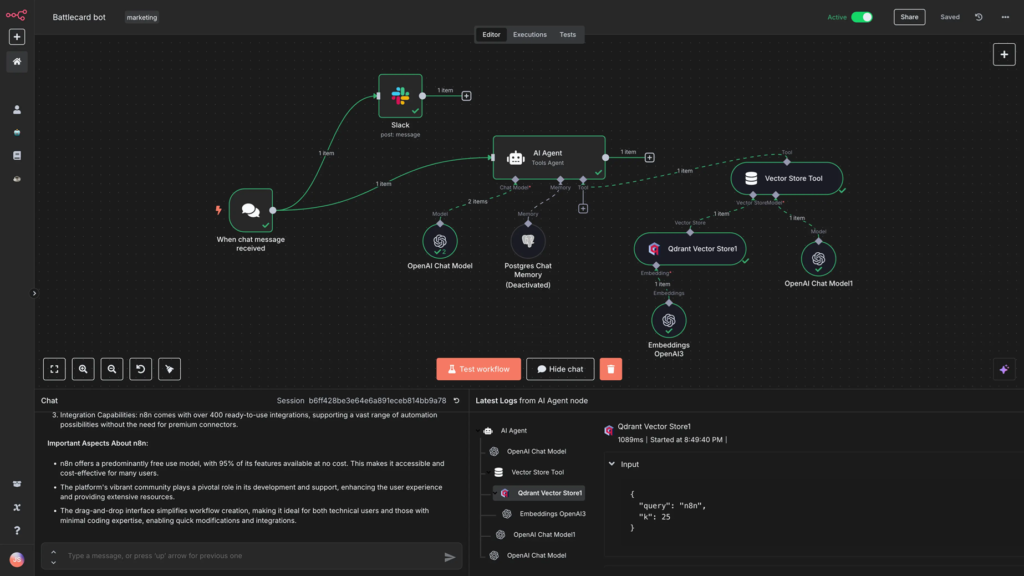
One of the best-kept secrets of the n8n Community Edition is that you can unlock several premium features—like workflow history, advanced debugging, and folders—completely for free by registering your instance [09:12].
- Register: Complete the initial setup form in your browser with your name and email.
- Get the Key: Check your inbox for a free license key sent by n8n [09:57].
- Activate: Go to Settings > Enter Activation Key, paste your code, and click activate. You now have a fully-featured automation engine running locally [10:25]!
Pro Tip: Keeping n8n Up-to-Date
The n8n team releases updates frequently. To update your local version to the latest stable release, use this command:
Bash
npm update -g n8n
If you ever need to install a specific version (for example, to match a production server), you can use the @ symbol: npm install -g n8n@1.2.3 [11:35].
Summary
Self-hosting n8n via NPM is the perfect middle ground for those who want the power of n8n without the monthly cloud cost. It takes less than 10 minutes to set up and gives you a professional-grade automation tool right on your desktop.
Watch the full video tutorial here: Install n8n on local machine using NPM