
In the modern digital economy, responsiveness isn’t just a “nice-to-have”—it is a competitive necessity. For small to medium-sized businesses, the challenge has always been staying available 24/7 without burning out a human support team. Enter the AI WhatsApp Chatbot.
Unlike the clunky, menu-driven bots of the past, today’s AI agents—powered by Large Language Models (LLMs) and automated workflows like n8n—can understand nuance, answer complex questions, and even close sales.
Based on the expert breakdown by Zinho Automates, this guide will walk you through the architecture of a high-converting WhatsApp AI agent and why n8n is the “secret sauce” for business automation.
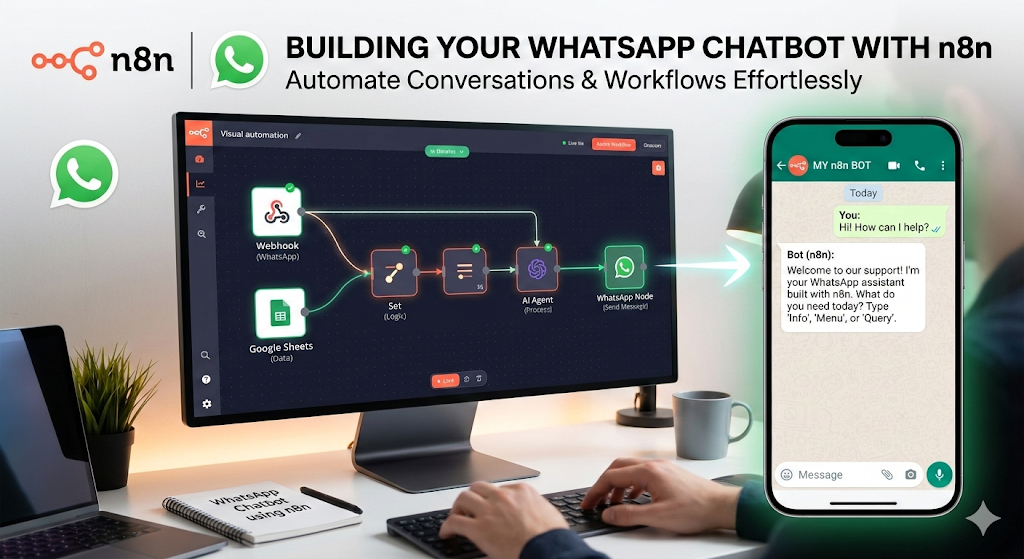
1. Why WhatsApp? The Power of the “Green App”
Before diving into the technical setup, it’s important to understand the why. WhatsApp is the most used messaging app globally, boasting over 2 billion active users. For a business, appearing in a customer’s WhatsApp inbox is more intimate and high-converting than an email or a website pop-up.
By integrating an AI agent into WhatsApp, you aren’t just providing support; you are meeting your customers exactly where they already spend their time.
2. The Tech Stack: Why n8n is the Superior Choice
The video highlights n8n as the primary orchestration tool. While platforms like Zapier or Make are popular, n8n offers a “fair-code” approach that provides much deeper flexibility for complex AI logic.
Key Components of the Build:
- n8n: The “brain” that connects all your apps together.
- OpenAI (GPT-4o): The intelligence that processes the user’s intent and generates natural language responses.
- Meta Developer Portal: To access the official WhatsApp Business API.
- Firecrawl: A tool often used for “scraping” your business website so the AI has a knowledge base to reference.
- Vector Database (Pinecone or Supabase): Where your business’s specific data (FAQs, pricing, services) is stored for the AI to “search” in real-time.
3. Step-by-Step: The Anatomy of the Workflow
Building an AI agent isn’t just about connecting two points; it’s about creating a logical flow. Here is the framework outlined in the tutorial:
Step A: Setting up the Webhook
Everything begins with a Webhook. When a customer sends a message to your business number, Meta sends a “notification” to your n8n workflow. This trigger starts the entire automation process.
Step B: The Knowledge Base (RAG)
You don’t want a generic AI; you want an AI that knows your business. This is achieved through Retrieval-Augmented Generation (RAG).
- The workflow takes the customer’s question.
- It searches your business documentation (which you’ve “scraped” using Firecrawl).
- It finds the most relevant information and feeds it to the AI as context.
Step C: The AI “Thought” Process
This is where the magic happens. In n8n, you use an AI Agent node. You give the agent a “System Prompt”—a set of instructions that tells it how to behave.
- Example: “You are a helpful sales assistant for a boutique gym. Be professional but energetic. If the user asks about pricing, refer to the ‘Packages’ section of our data.”
Step D: Sending the Response
Once the AI generates a response, n8n sends that text back through the Meta API to the user’s WhatsApp. All of this happens in less than three seconds.
4. Advanced Features: Beyond Simple Chat
The video emphasizes that a true business bot does more than just talk. Using n8n, you can build “Tools” for your agent:
- Booking Appointments: Connect the bot to your Google Calendar so it can check availability and book slots directly in the chat.
- Lead Capture: Automatically save the user’s name and phone number to a Google Sheet or CRM like HubSpot.
- Escalation: If the AI detects frustration or a request for a human, it can automatically notify a team member via Slack or email.
5. Overcoming Common Hurdles
One of the most valuable parts of the tutorial is the troubleshooting segment.
- API Restrictions: Many beginners struggle with Meta’s restricted accounts. The video suggests ensuring your Facebook Business Manager is fully verified.
- Prompt Injection: Ensuring the AI doesn’t get “distracted” by users trying to trick it into giving away free products or breaking character.
- Costs: While the n8n template is free, you must account for OpenAI token costs and Meta’s conversation-based pricing.
6. The “Free Template” Advantage
Zinho Automates provides a free template to help viewers skip the hours of manual “node-pulling.” By importing a pre-made JSON file into n8n, business owners can have a working prototype in under 30 minutes. This democratization of technology means you no longer need a $10,000 budget to have a world-class AI assistant.
7. The Business Impact: ROI of Automation
Why spend the time building this?
- Zero Wait Times: Customers get answers instantly, reducing “bounce rates” to competitors.
- Scalability: The bot can handle 10,000 conversations as easily as it handles one.
- Filtered Leads: By the time a human interacts with a lead, the bot has already qualified them, saving the sales team hours of work.
Conclusion: Start Building Today
The era of “coding from scratch” is over. Tools like n8n and AI models like GPT-4 have lowered the barrier to entry so significantly that any business—from a local bakery to a SaaS startup—can deploy a sophisticated WhatsApp AI agent.
As highlighted in the video, the key is to start simple. Build a bot that answers FAQs first, then slowly add features like calendar booking and CRM integration. In the world of AI, those who automate today are the ones who will lead the market tomorrow.
Watch the full tutorial here: How To Build a N8N WhatsApp Chatbot
If you’re ready to take your business automation to the next level, checking out the resources mentioned in the video description—like the n8n free trial and the Skool community—is a great place to start.