In the rapidly evolving world of AI and productivity, automation isn’t just a luxury—it’s a necessity. If you’ve ever felt buried under manual tasks like saving email attachments or updating spreadsheets, it’s time to meet n8n.
In a recent deep-dive tutorial by GenAI Unplugged, we got a front-row seat to why n8n is becoming the go-to tool for developers and businesses alike. Here’s a breakdown of what makes n8n special and how you can build your first automated workflow.
Why n8n? The “Big Three” Advantages
While tools like Zapier and Make.com are popular, n8n stands out for three critical reasons:
- Workflow-Based Pricing: Unlike competitors that charge “per task” or “per step” (which can lead to massive bills for complex processes), n8n charges based on the execution of the entire workflow [01:11]. This makes your budgeting predictable, whether your workflow has five nodes or fifty.
- Self-Hosting & Control: You aren’t locked into a single cloud provider. You can run n8n on your local machine, in your own cloud environment, or use their managed cloud version [01:47]. You own your data and your logic.
- AI & Complexity: n8n is built for the “power user.” It supports advanced conditional logic, data transformation, and even custom code nodes [02:13]. Most importantly, it allows you to build AI agents that work for you without writing a single line of code.
Understanding the Building Blocks: Nodes
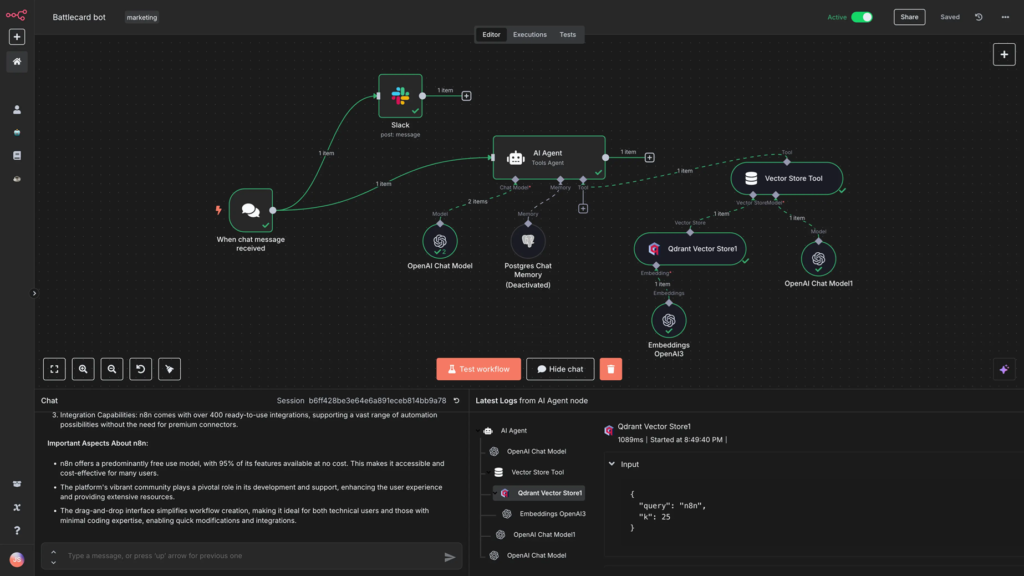
Think of n8n as an assembly line where each “Node” is a specialized worker [05:26]. There are three main types of nodes you’ll work with:
- Trigger Nodes: These “wake up” the workflow. It could be an incoming email, a new row in a Google Sheet, or a specific time of day [05:50].
- Transformation Nodes: These filter, segment, or change your data so it’s ready for the next step [06:15].
- Action Nodes: These finish the job—sending a Slack message, uploading a file, or updating a database [06:34].
Project Spotlight: Auto-Saving Gmail Attachments
The tutorial walks through a practical “Hello World” of automation: Automatically saving Gmail attachments to Google Drive and notifying the team on Discord.
The 4-Step Process [08:20]:
- Gmail Trigger: The workflow listens for any new incoming email.
- Filter Node: It checks: “Does this email actually have an attachment?” If no, the workflow stops. If yes, it continues [15:25].
- Google Drive Action: The file is automatically uploaded to a specific “Hands-on Labs” folder [17:31].
- Discord Notification: A message is sent to the team server confirming the upload, complete with the email’s subject line [18:17].
Pro-Tip: Map Before You Build
One of the best pieces of advice from the video is to map out your business process in generic terms first [08:59]. Instead of saying “I need a Gmail node,” say “I need to listen for emails.” This allows you to easily swap services (like moving from Google Drive to OneDrive) without losing the logic of your automation.
Conclusion
n8n is more than just a “connector”—it’s an orchestration engine that puts you in the driver’s seat. Whether you’re a developer looking to write custom JS nodes or a business owner wanting to slash manual work, n8n offers the flexibility and scale to grow with you.
Ready to start? Watch the full tutorial on GenAI Unplugged to see the live build and get a head start on your automation journey!